How DocInsight works
A simple, repeatable workflow for every tool: choose, upload, deliver. Here is what happens at each step, and how to get the best results.
Process any document in minutes
The flow is the same across all ten tools, so once you have used one you know them all.
Sign in and check your tokens
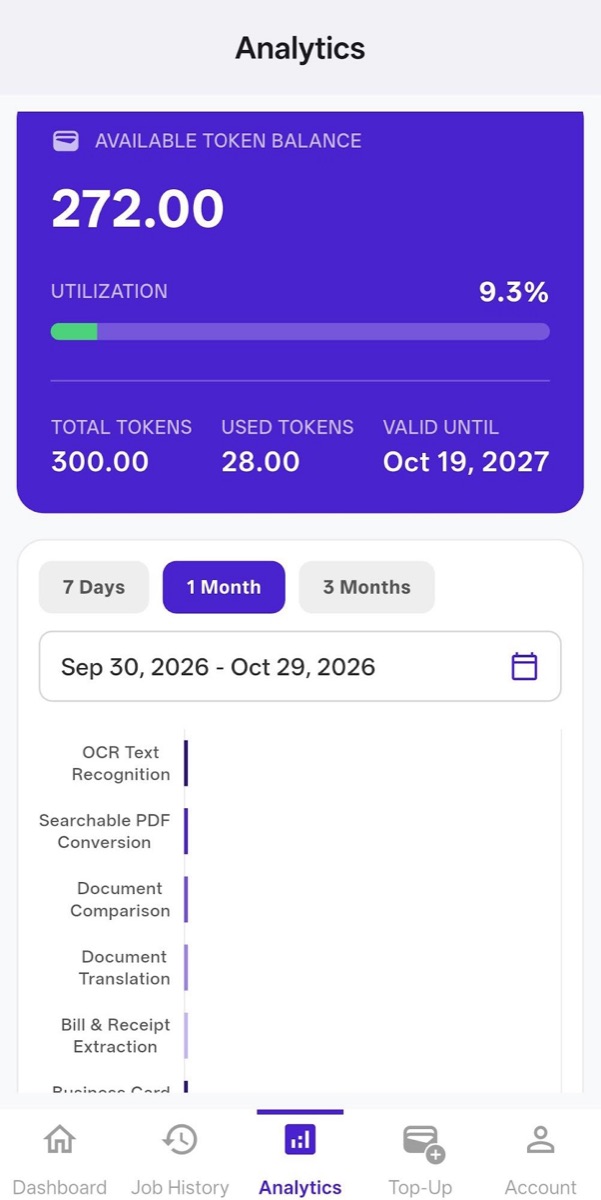
Sign in to the app and look at your token balance. If you need more, open the Top-Up tab and pick a plan. Your balance and validity date are always shown in Analytics.
Choose a tool from the Dashboard
The Dashboard lists all ten tools: OCR Text Recognition, Searchable PDF Conversion, Document Comparison, Document Translation, Bill & Receipt Extraction, Business Card Data Capture, ID & Passport Processing, Cheque Data Extraction, Handwriting Removal and Business Document Extraction.
Select your document
Tap Select Document and pick your file. The total upload size per job can be up to 50 MB. Each tool screen tells you the token cost, for example 1 token per page for OCR.
Add recipients and a subject
Type an email address and tap Add. You can add more than one recipient, and the result is delivered to every address you add. Edit the email subject so the message is easy to recognise in your inbox.
Tap Finish and let DocInsight work
DocInsight processes the document and emails you the output. If you have connected Google Drive in the Account tab, output files can also be saved there automatically.
Track and review
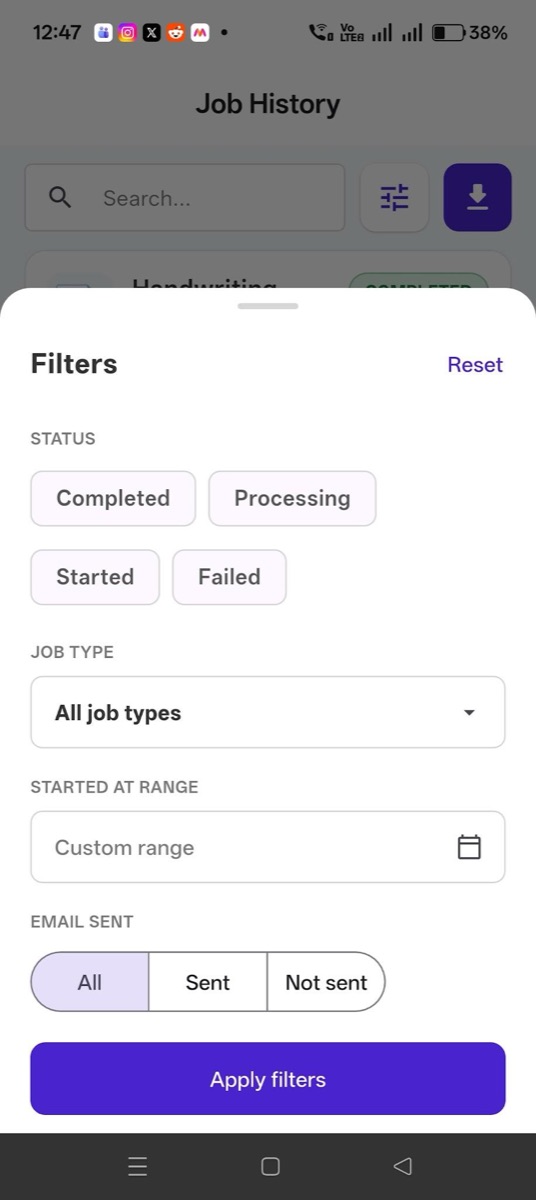
Open Job History to see every task's status, duration, tokens used and whether the email was sent. Use Analytics and Token History to follow your usage over time.
Every job, filter and token in one place
DocInsight is designed so you always know what happened to your documents and your tokens.
- Job History: search every task and filter by Completed, Processing, Started or Failed, by job type, date range and email-sent status.
- Analytics: see available balance, utilisation, total and used tokens, plus tool-wise consumption over 7 days, 1 month, 3 months or a custom range.
- Token History: a clear ledger of every token used or added, with filters and export.
- Payment History: your top-up requests, their status, amounts and the tokens added.
Get the best results from every scan
Recognition and extraction work best when the source is clear. A few habits make a big difference.
Use good lighting
Photograph documents in even light, without harsh shadows or glare on glossy paper.
Keep pages flat and straight
Place the page on a flat surface and capture it straight on. Skewed or curved pages are harder to read.
Mind the 50 MB limit
Keep each job under 50 MB in total. Split very large files into several jobs if needed.
Double-check the recipients
Results go to the addresses you add. Confirm them before you tap Finish, especially for sensitive documents.
Review important data
Always verify amounts, dates and identity details in the output before relying on them.
Connect Google Drive
Save outputs automatically to your Drive from the Account tab, so files are filed as soon as they are ready.
Process your first document today
Download DocInsight and choose the tool that fits your task.